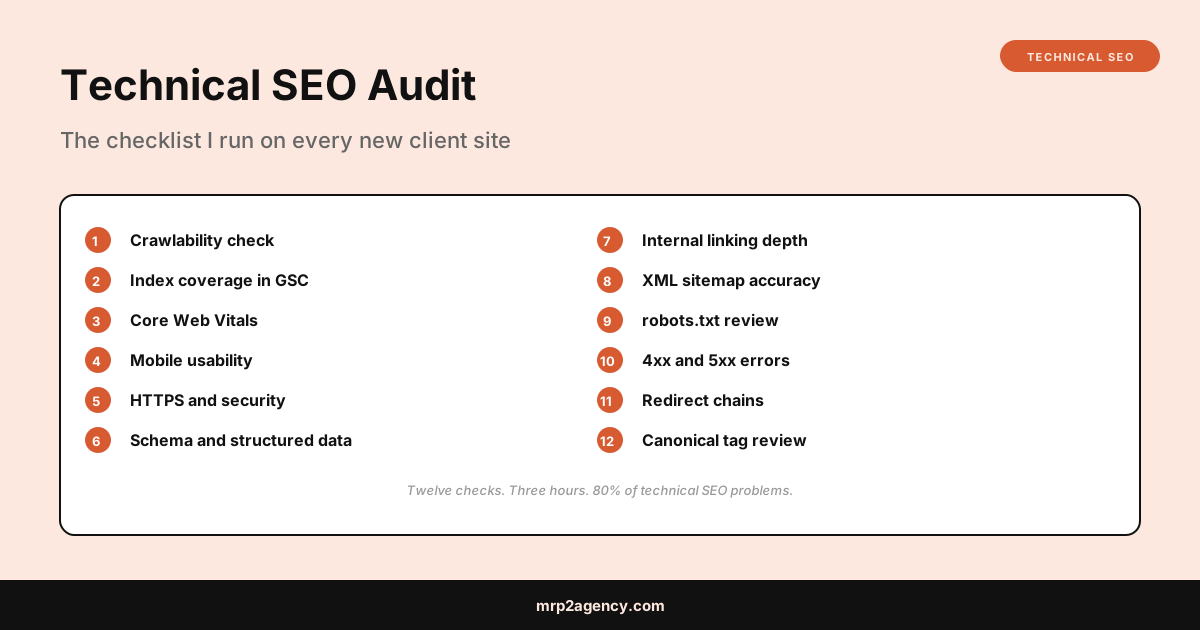
This is the technical seo audit checklist I actually run for new clients. Not an agency checklist with 250 line items that overwhelms you. The real twelve. In the order I do them. With the specific tools.
If you’re a small business owner trying to figure out why your site isn’t ranking, or a freelancer who needs a process to follow, this is the playbook.
1. Crawlability Check
Can Google actually read your site? You’d be surprised how often the answer is no.
The check:
- Right-click your homepage and “View Source.” If the content you see in the browser doesn’t appear in the source, you have a JavaScript rendering problem. Google can sometimes still index JS-rendered content, but it’s slower and less reliable.
- Run Google Search Console URL Inspection on your homepage. Look at “Crawled as Googlebot.” Compare what Google sees to what users see.
- Open Screaming Frog SEO Spider (free for the first 500 URLs) and crawl your site. Look for 4xx errors, redirect chains, and missing titles.
If the crawl returns dozens of “blocked by robots.txt” errors on pages that shouldn’t be blocked, that’s problem #1 to fix.
2. Index Coverage in Google Search Console
Search Console tells you how many pages Google has indexed and which pages it’s choosing not to. Both numbers matter.
Open Search Console, click Pages in the left nav. Look at:
- Indexed pages. Should roughly match the number of pages you actually want indexed.
- Not indexed pages. Click in and look at the reasons. “Discovered, currently not indexed” usually means low-quality or duplicate content. “Crawled, currently not indexed” usually means Google saw it and decided it wasn’t worth indexing.
If you have 800 pages and Google is only indexing 200, you have a content quality problem disguised as a technical problem. Fix the technical signals (canonicals, sitemaps, internal links) first, then improve the content.
3. Core Web Vitals
Speed and stability. Already covered in how I fixed Core Web Vitals on a real client site, but the short version:
- Run the homepage and three internal pages through PageSpeed Insights
- Look at mobile, not desktop
- Targets: LCP under 2.5s, INP under 200ms, CLS under 0.1
- Lighthouse mobile score should be 90+
If you’re failing these, you’re getting actively demoted in search results, regardless of how good your content is.
4. Mobile Usability
Mobile is the primary index. If the site doesn’t work well on phones, it doesn’t rank.
Open the site on an actual phone (not the Chrome DevTools simulator) and check:
- Tap targets aren’t crammed together
- Text is readable without zooming
- Forms don’t require horizontal scrolling
- Modal popups can be dismissed
- Important content isn’t behind tabs or accordions that hide it from crawlers
Then check the Mobile Usability report in Search Console for systemic errors.
5. HTTPS and Security
In 2026, HTTPS is non-negotiable. Sites still on plain HTTP are penalized and flagged as “not secure” in browsers.
Quick checks:
- URL starts with
https:// - No mixed content warnings (HTTP resources loaded on HTTPS pages)
- SSL certificate is valid and not expiring in the next 30 days
- HTTP redirects to HTTPS (
http://yoursite.com→https://yoursite.com) wwwand non-wwwversions consistently redirect to one canonical form
Why No Padlock is a free tool that finds mixed content issues fast.
6. Schema and Structured Data
Structured data tells Google what specific things on the page are. Organization. LocalBusiness. Article. Product. Without it, Google guesses. With it, you get rich results in SERPs.
Check what’s there:
- Run the homepage through Google’s Rich Results Test
- Run service pages through the same tool
- Look for any errors or warnings in detected schema
At minimum, every site needs an Organization or LocalBusiness schema on the homepage and an Article schema on every blog post. For ecommerce, Product schema with offers and reviews. For local services, BreadcrumbList plus the appropriate vertical schema (Plumber, Attorney, Dentist, etc.).
Schema is one of the easiest SEO wins. Most competitors have none. Five hours of adding JSON-LD across the site can produce visible ranking gains within weeks.
7. Internal Linking Depth
Pages that are more than three clicks from the homepage are essentially invisible to Google. Crawl budget gets used on what’s close to the homepage, not what’s buried.
Open Screaming Frog and look at the “Crawl Depth” tab. Anything at depth 4 or deeper is at risk. Either:
- Link to it more prominently from the homepage or main nav
- Accept it won’t rank and stop investing in it
Also check that your most important pages have the most internal links pointing to them. Tools like Ahrefs Site Audit show this directly, but you can also count inbound internal links manually in Screaming Frog.
8. XML Sitemap Accuracy
Your sitemap tells Google which pages exist and how often they change. Most sitemaps are wrong.
Common problems:
- Sitemap includes 404 pages that no longer exist
- Sitemap includes pages with
noindexmeta tags - Sitemap is missing pages you actually want indexed
- Sitemap last modified dates are years old or all set to the same date
- Sitemap isn’t submitted in Search Console
Open yoursite.com/sitemap.xml in a browser and read it. Spot-check ten random URLs. Each should be a live, indexable page you actually want crawled.
9. robots.txt Review
This file tells crawlers what they can and can’t access. A single typo can de-index your entire site.
Open yoursite.com/robots.txt. Look for:
Disallow: /without context (this blocks everything, usually a leftover from development)Disallow: /wp-admin/is fine,Disallow: /admin/might block important pages- A reference to your sitemap (
Sitemap: https://yoursite.com/sitemap.xml) - No accidental blocks on important sections (
/blog/,/services/)
Validate it with Google’s robots.txt Tester in Search Console.
10. 4xx and 5xx Errors
Broken pages bleed link equity and trust. The crawl finds them; you fix them.
In Screaming Frog, look at the Response Codes report. For each 404:
- If the page is gone permanently, redirect to the most relevant live page (not just the homepage)
- If the URL has external backlinks pointing to it, definitely redirect
- If neither, leave it as 404 and remove internal links pointing to it
For 5xx errors, those are server problems. Get your hosting provider to look at them.
11. Redirect Chains
A redirect from URL A to URL B to URL C to URL D is a chain. Each hop loses a small amount of link equity and adds latency. Long chains are penalized.
Screaming Frog’s “Redirect Chains” report shows you every chain on the site. For each one, change all the redirects to point directly to the final destination. So A → D, not A → B → C → D.
Particularly common in WordPress sites that have been migrated multiple times. The original redirects from migration #1 still point to URLs that were redirected again in migration #2.
12. Canonical Tag Review
A canonical tag tells Google “this is the official URL for this content.” Without canonicals, duplicate content (printer-friendly versions, parameter-tagged URLs, etc.) gets indexed as separate pages, diluting rankings.
Check:
- Every page has a canonical tag in the
<head> - The canonical points to the correct URL (not a different page)
- Parameter URLs (
?utm_source=...) canonicalize to the clean URL - Pagination handles canonicals correctly
Common mistake: setting every page’s canonical to the homepage, which tells Google “all my pages are the same as the homepage.” That’s catastrophic and I see it on roughly 1 in 20 audits.
On Page SEO Best Practices 2026
While I have the site open, I also check the on-page basics:
- One H1 per page, matching the search intent
- Meta descriptions present and 150 to 160 characters
- Image alt text on every image (not “image1.jpg” or empty)
- Internal links use descriptive anchor text, not “click here”
- Title tags are 50 to 65 characters and include the primary keyword
Most of these are quick fixes. Knock them out at the same time as the technical work.
What This Means for Your Site
If you’re a small business owner reading this and you’ve never had a technical SEO audit done, run through the 12 steps yourself. It’ll take a Saturday. You’ll find at least three significant issues. Fix them, wait 60 days, and you’ll likely see ranking improvements without writing a single new piece of content.
If you’d rather hand this off, the same selection logic as in hiring a freelance web developer in Kansas City applies. A real technical SEO audit costs $500 to $1,500. Anyone charging $5,000+ for a “full-service SEO audit” is selling agency overhead and a 60-page PDF you won’t read.
Want a real look at your site’s technical health? Tell me about your project and I’ll give you a straight read on where the biggest wins are.