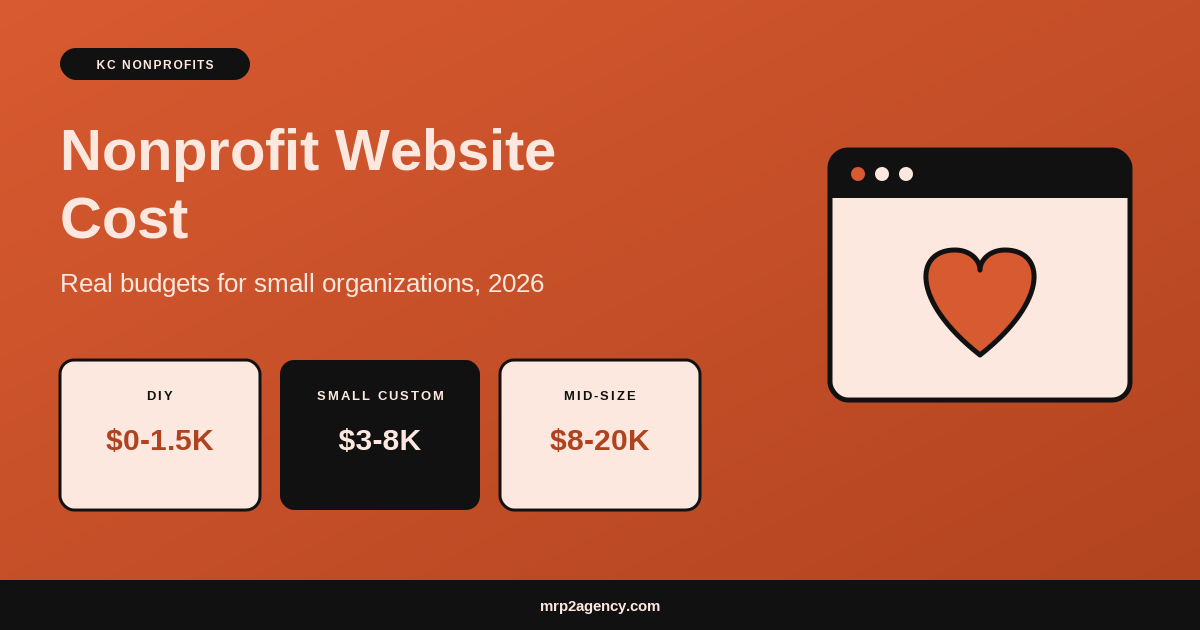
So, how much does a nonprofit website cost? For a small organization with a real mission and a real budget limit, the honest answer is a few thousand dollars, not a few tens of thousands. Here is how I’d think about it, with ranges, the factors that move them, and the places you can save without ending up with a site you hate.
How Much Does a Nonprofit Website Cost? The Short Version
These are general ranges for 2026, not quotes. Your number depends on the factors in the next section.
| Budget tier | Typical range | Who it fits |
|---|---|---|
| DIY on a builder | $0 to $1,500 | Brand-new orgs, volunteer-run groups with someone who has time |
| Small custom site | $3,000 to $8,000 | Most small nonprofits: 5 to 12 pages, donate button, event info, newsletter signup |
| Mid-size custom site | $8,000 to $20,000 | Programs, volunteer portals, searchable resources, heavier content |
| Agency build | $25,000 and up | Large orgs with a communications team and a long approval chain |
The agency tier exists for a reason. A big organization with five stakeholders and a board review at every step needs project management, and that costs money. A twelve-person nonprofit in Kansas City usually doesn’t.
For the general version of this conversation, my custom website cost breakdown covers businesses of all kinds. Nonprofits have a few extra wrinkles, which is the rest of this post.
What Drives a Nonprofit Website Budget
Four things move the price more than anything else.
- Page count and content. A site with a home page, About, Programs, Get Involved, Events, Contact, and Donate is cheap to build. A site with 80 pages migrated from an old system is not. Moving content is often the slowest part of a redesign.
- Donation and payment features. A link out to your donation processor is nearly free. Embedding donation forms, recurring gifts, event ticketing, or memberships costs real development time. It also adds ongoing fees from the processor, which are separate from the website.
- Who writes the words and takes the photos. If your team supplies finished copy and real photos, the project is faster and cheaper. If you need someone to write and shoot everything, add it to the budget or plan to do it yourselves.
- Who does the work. A solo developer has no account manager, project manager, or office lease to cover. That is most of the gap between, say, a $6,000 quote and a $40,000 one for the same site (illustrative numbers, not quotes).
If you don’t have a logo or brand colors yet, that is a separate cost. I wrote about it in brand design for nonprofits.
Nonprofit Website Redesign Cost vs a First Site
A redesign is not automatically cheaper than a first site. People assume it is, because the content already exists. In practice, the old site brings baggage.
- Old pages that still get search traffic need redirects so you don’t lose them
- Years of inconsistent formatting need cleanup
- Photos and PDFs are often low quality or out of date
- Someone has to decide what to delete
Budget a redesign at about the same as a first site of the same size. The upside is that you already know what visitors look for, which makes the plan sharper. Check your analytics for the five pages people actually visit before you scope anything.
What’s Usually Not in the Quote
This is where small organizations get surprised. Ask about each of these before you sign.
-
Hosting and domain. Often your responsibility, and it recurs every year.
-
Email. Business addresses like [email protected] are their own setup.
-
Donation processing fees. Charged by the processor on every gift, not by your developer.
-
Maintenance. Someone has to apply updates and fix things after launch.
-
Copywriting and photography. Frequently assumed to be yours.
-
Training. Whoever updates the site after launch needs a walkthrough.
None of these are scams. They are just easy to forget when you compare a $4,000 quote against a $9,000 quote and the cheaper one leaves out half the work.
Where Nonprofits Can Actually Save Money
You have advantages that regular businesses don’t. Use them before you spend a dollar on the build.
-
Free and discounted software. Google for Nonprofits offers free Google Workspace access to eligible, verified organizations, which covers your email and shared documents. It also includes Google Ad Grants for search advertising. Eligibility rules apply, and schools, universities, and hospitals are excluded.
-
Discounted tech through TechSoup. TechSoup sells nonprofit-specific discounts on software and hardware from partners like Microsoft and Adobe. Organizations are verified before they can use the offers. Check what applies to you before buying anything at retail.
-
Cheap hosting for the right kind of site. A hand-coded static site can run on free hosting tiers. Cloudflare Pages, for example, lists a free plan with up to 500 builds a month and 20,000 files per site. A typical small nonprofit site is nowhere near those limits. Check the current terms before you commit, since plans change.
-
Skip the monthly platform tax. Many builders charge every month, forever, for features your site may never use. Over five years, that can cost more than a one-time custom build. I compared the tradeoffs in page builder vs custom code.
What I Wouldn’t Cut
Saving money is good. These are the places where cutting costs you later.
-
Accessibility. Your visitors include people using screen readers, keyboards, and phones with bad connections. The W3C’s WCAG guidelines are the standard to build against, and the current version is 2.2. Fixing accessibility after launch costs more than building it in.
-
A clear donate path. The whole point of the site is that a stranger can understand what you do and give in under a minute. If your design budget is tight, spend it here.
-
Mobile layout. Most of your visitors will arrive from a phone, often from a social post or a text from a friend. Test on one before you approve anything.
-
Basic search setup. Titles, descriptions, and a sensible page structure cost almost nothing at build time. My guide to SEO for nonprofits and school programs walks through what to set up.
How to Get a Quote You Can Compare
Before you ask anyone for a price, write down the scope on one page. It makes every quote better and keeps you from paying for things you don’t need.
- List the pages you think you need.
- List the features: donation form, event calendar, newsletter signup, volunteer sign-up.
- Decide who supplies the text and photos.
- Say who will update the site after launch, and how often.
- Give a real budget range and a real deadline.
Then ask for a flat-rate quote with the deliverables listed. A good developer will ask you questions back. If someone sends a number without asking any, treat it as a guess.
I’d also decide up front how decisions get made. A board that wants to review every font choice can inflate a $5,000 project into something much larger through revision rounds alone. One point person with authority to approve is the cheapest feature you can add.
So What Should You Budget?
If you’re a small nonprofit with a straightforward site, plan on $3,000 to $8,000 for a custom build, plus a modest yearly amount for hosting, domain, and maintenance. If you’re a brand-new group with nothing yet, a simple builder site can get you started for much less, and you can rebuild when the organization has proven itself. If you need heavier features, expect to move into the mid-size range and scope carefully.
The wrong move is to wait because the first number you saw was $50,000. That number was for someone else’s project.
I build for nonprofits, schools, and local organizations in Kansas City, and I’d rather give you a straight read on your scope than a sales pitch. Tell me about your project and I’ll tell you what I think it should cost, including when the answer is “you don’t need me yet.”